Architects and engineers: construction administration on your own drawings
Site observation reports, field reports and punch lists at substantial completion, captured on the phone during the visit and finished as a report before you leave the site.
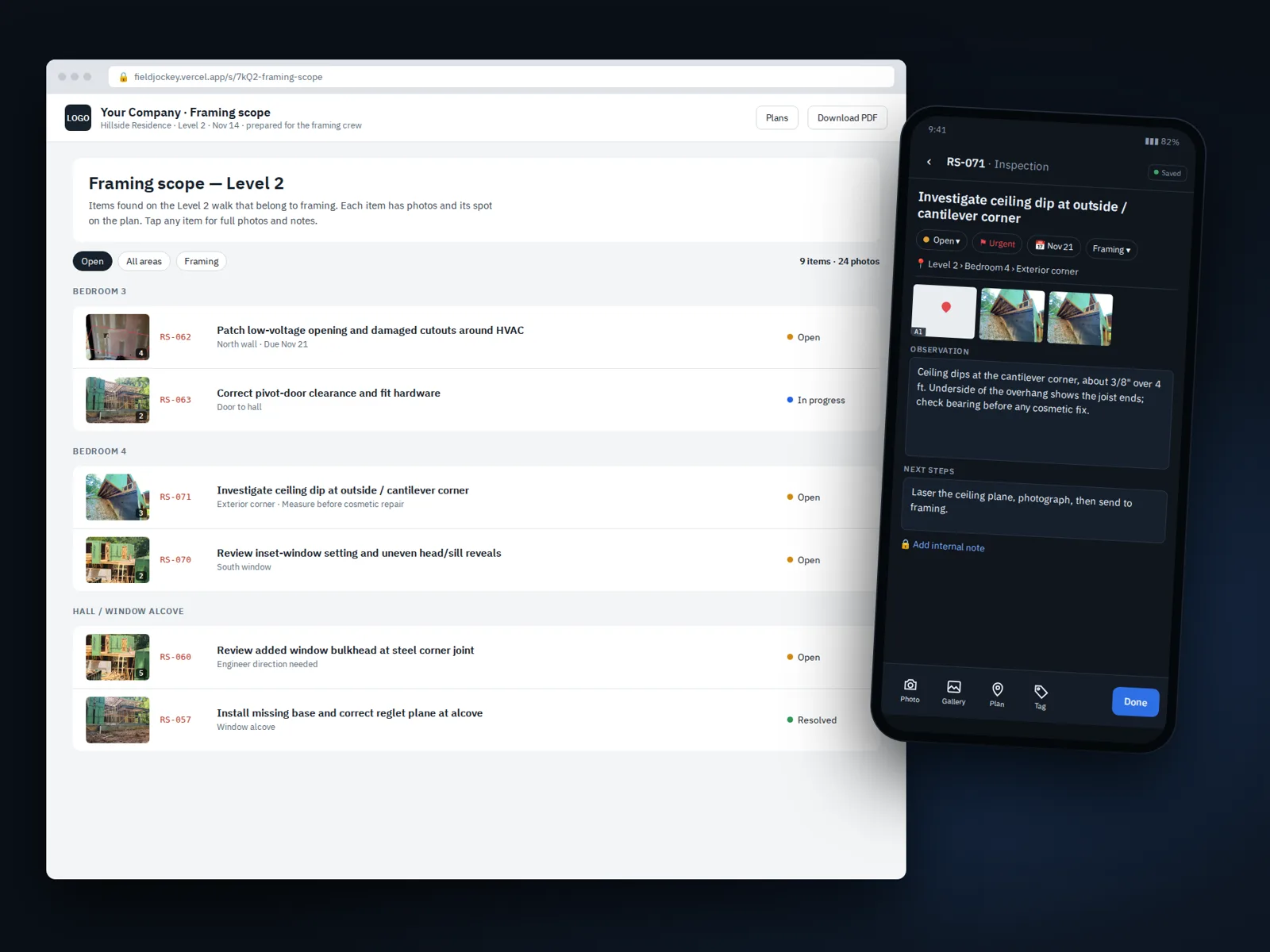
Site observation visits
Load your own drawing set, then walk the site with the phone. Each observation is one entry: a dated photo, what you saw, the reference to the drawing or specification, and a pin on the sheet where it is. Mark up the photo on the spot, with dimensions measured to scale from a known reference and callouts that stay legible in the report.
Back at the desk, the visit is already a site observation report with your firm's logo, standard opening text and limitations, and every finding in drawing order with its photo and a zoomed crop of the plan.
Punch lists at substantial completion
- Room by room, pinned to the plans, so the contractor can find every item.
- Severity, trade and due date on each item, set by hand and visible to whoever you send it to.
- Back-check visits add the after photo beside the before photo and mark the item resolved, with both dates kept.
- Sign-off captured on the phone and saved with a signed copy of the report.
A clean record for the project file
Reports go out as a PDF, a password-protected PDF, or a link you can expire or revoke. On Plus, the owner and the contractor can follow along through a live project portal, with daily or weekly digest emails. Nothing is written over: the original photo is always kept untouched.
Your files and your agent
Open drawings and photos from Google Drive, Dropbox or the device. Your project data stays open to the AI agent you choose through MCP, with you deciding which projects it can see and whether it can only read.
Trials open December 2026.